
BackgroundTask
[Call a nanoflow when app is in background]
Features
[feature highlights]
Usage
- Clone this Git
- Go to cloned directory
- Run: npm i
- Run: cd ios && pod install
- Follow steps below:
iOS
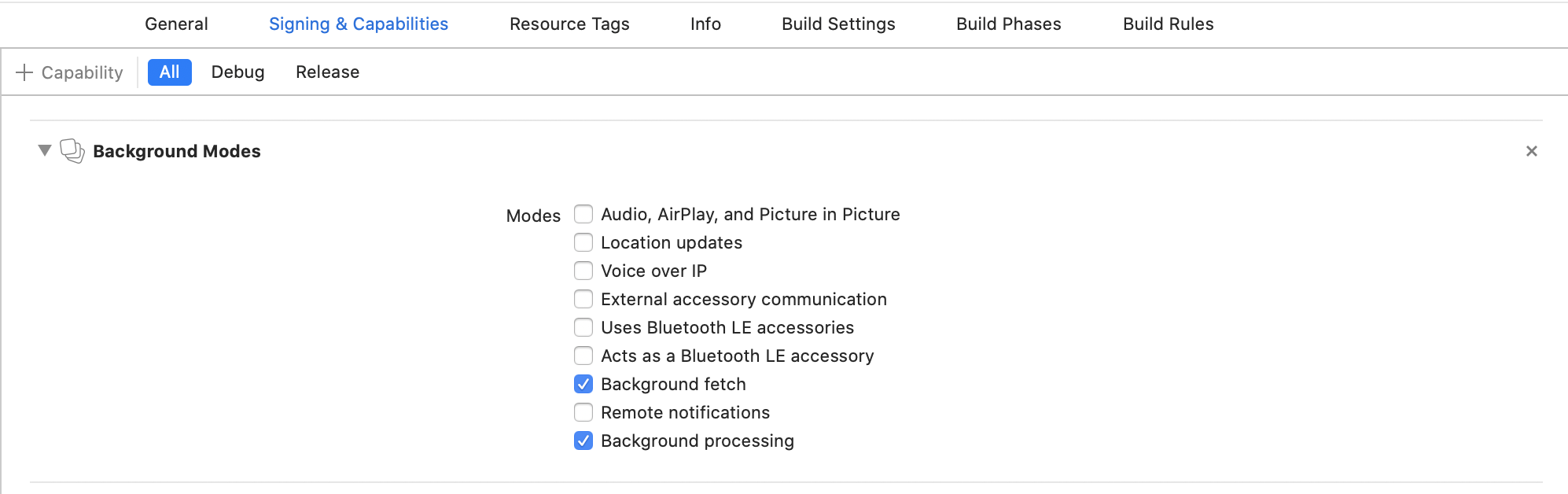
Select the root of your project. Select Capabilities tab. Enable Background Modes and enable the following mode:
Background fetch
Background processing (🆕 iOS 13+; Only if you intend to use BackgroundFetch.scheduleTask)
Configure Info.plist (iOS 13+)
Open your Info.plist and add the key "Permitted background task scheduler identifiers"
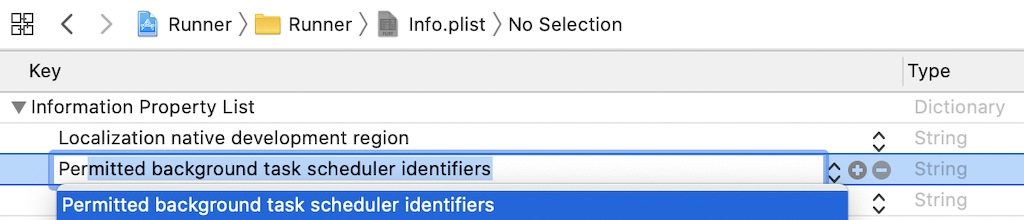
Add the required identifier com.transistorsoft.fetch.

Demo project
[link to sandbox]
Issues, suggestions and feature requests
[link to GitHub issues]
Development and contribution
[specify contribute]